Controls
Player 1 (left) · keyboard
| Action | Keys |
|---|---|
| Move | A D |
| Jump / crouch | W / S |
| Punch: light, medium, heavy | R T Y |
| Kick: light, medium, heavy | F G H |
Player 2 (right) · keyboard
| Action | Keys |
|---|---|
| Move | ← → |
| Jump / crouch | ↑ / ↓ |
| Punch: light, medium, heavy | U I O |
| Kick: light, medium, heavy | J K L |
Xbox controller
| Action | Button |
|---|---|
| Move | D-pad or left stick |
| Punch: light, medium, heavy | X · Y · RB |
| Kick: light, medium, heavy | A · B · RT |
| Also heavy | LB (punch) · LT (kick) |
| Start | Menu |
Plug it in, then press any button so the browser sees it.
Click the game first so it receives your keys. M sound on / off · B show hit boxes.
Basics
Block
Hold back (away from your opponent). Hold down + back to block low.
Crouching kicks hit low, so block them crouching. Jump attacks and overheads hit high, so block them standing. You can't block in the air.
Throw
Right next to your opponent, hold toward (or away to toss them behind you) and press heavy punch or heavy kick. Throws can't be blocked.
Close attacks
Right next to your opponent, medium and heavy buttons turn into short close attacks (elbows, knees, shoves) automatically.
Anti-air & sweep
Crouching heavy punch knocks jumpers down. Crouching heavy kick is a sweep.
Flip jump
Jump up-forward or up-back to somersault.
Dizzy
Take too many hits in a row (about 4–5 heavy ones) and you're stunned for 2 seconds. Mash buttons and wiggle the stick to recover sooner.
Super meter
The bar under your health fills as you hit and get hit. When it flashes, do ↓↘→ ↓↘→ + punch for your fighter's super.
Reading the inputs
Arrows are for a fighter facing right; flip them when you face left. Roll the stick through the arrows, then press the button.
P = punch, K = kick. Light, medium and heavy change the version of a special: speed, distance or power.
Tama
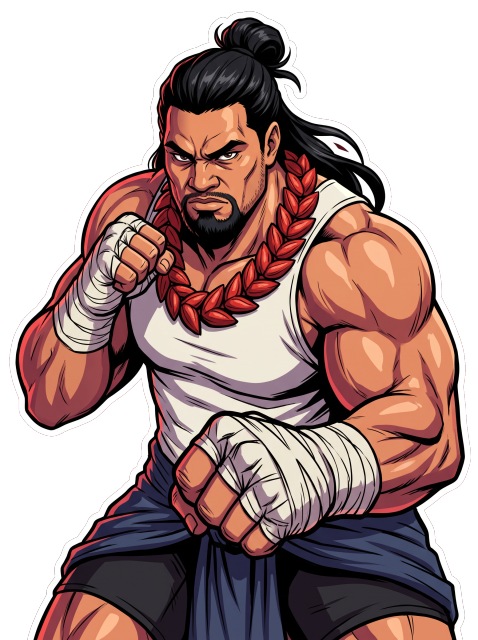
| Move | Input | What it does |
|---|---|---|
| Ember Waveprojectile | ↓↘→ + P | Fire from his hands rolls along the floor. |
| Ruck Rush | hold ←, then → + K | Charging shoulder rush that plows through one hit. |
| Lineout Liftgrab | ↓↙← + K | Up close: lifts the opponent and slams them. |
| Lava Stompanti-air | →↓↘ + P | Rising strike that swats jumpers. |
| Island Fendcounter | ↓↙← + P | Braces to absorb a hit or projectile, then shoves. |
| Eruptionsuper | ↓↘→ ↓↘→ + P | Fire bursts up under the opponent. |
Neon
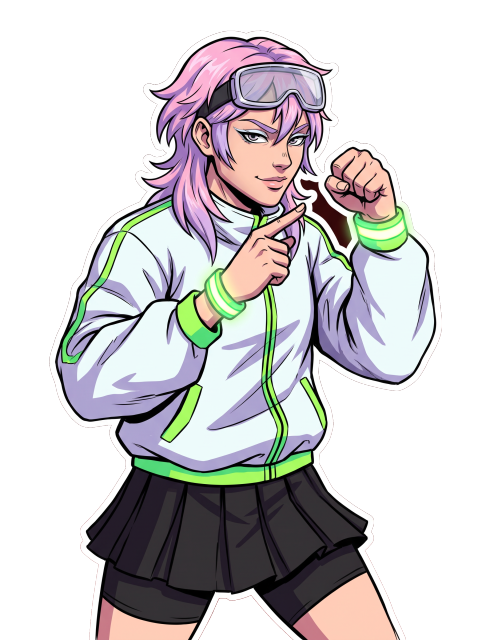
| Move | Input | What it does |
|---|---|---|
| Afterimage | ↓↘→ + P | Neon copies of Neon strike one after another. |
| Neon Ribbonprojectile | ↓↘→ + K | A ribbon of light flies at head height. |
| Runway Kickanti-air | →↓↘ + K | Rising kick that catches jumpers. |
| Glitch Step | ↓↙← + K | Vanishes and reappears behind the opponent. |
| Strike a Posecounter | ↓↙← + P | Holds a pose; if hit, answers with a backhand. |
| Neon Encoresuper | ↓↘→ ↓↘→ + P | A flashy flurry with trailing copies. |
Kaips G
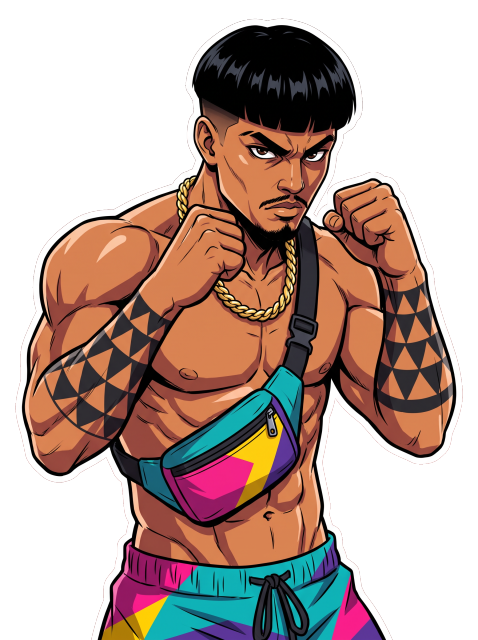
| Move | Input | What it does |
|---|---|---|
| Strap Snap | ↓↘→ + P | Snaps his bag out on its strap for long reach. |
| Superman Punchoverhead | ↓↘→ + K | Hop-in flying punch: block it standing. |
| Rising Kneeanti-air | →↓↘ + K | Jumping knee straight up. |
| Barefoot Rush | ↓↙← + P | Charging rush of strikes. |
| Plum Clinchgrab | ↓↙← + K | Up close: clinch, knees, then a push kick. |
| Full Sendsuper | ↓↘→ ↓↘→ + P | An all-out barrage. |
Kaji
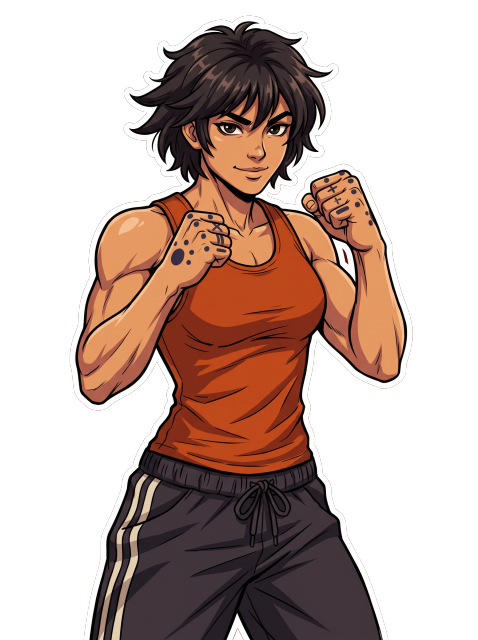
| Move | Input | What it does |
|---|---|---|
| Kiai Waveprojectile | ↓↘→ + P | A shout sends a ripple of wind forward. |
| Crane Riseanti-air | →↓↘ + P | Rising strike from a crane stance. |
| Typhoon Kick | ↓↙← + K | Spinning kicks that travel forward. |
| Kata Stormsuper | ↓↘→ ↓↘→ + P | A full kata ending in a point-blank kiai. |
Modes
Fighter select
- Left player: A D or stick. Right player: ← → or stick.
- C switches the right player between computer and a second player.
- Any attack button or Enter starts the match.
- After a match: any key for a rematch, Esc / View for fighter select.
Training
- On fighter select press T or the Xbox View button.
- The dummy never attacks. V / View changes what it does: stand, crouch, block, jump.
- Enter / Menu resets, Esc (or View + Menu) exits.
- Health refills, the clock stops, your super is always ready, and your inputs are shown.